Diagnostics: read the codes, understand the context.
A diagnostic trouble code is information to investigate, not a repair or certainty about the cause of a problem.
Before you start: compatibility and limits
Smart Control OBD2 helps you read codes and parameters made available by the vehicle, such as engine speed or coolant temperature when supported. You can observe readings and their context to better explain what you have noticed to whoever checks your car. The app does not automatically identify a cause or repair a fault.
DTC stands for diagnostic trouble code, such as P0171. A control unit records it when it detects a condition defined by its monitoring system. Look up the complete code: the description is a starting point, not proof of a cause or an instruction to replace a part.
Availability depends on the car, control unit and adapter. OBD2 compatibility does not guarantee access to every system, such as ABS or airbags, or to all manufacturer-specific data. An unavailable reading is not a reading of zero.
Read fault codes in context
A warning light or a change in how the car behaves can leave you unsure what to check first. Reading an OBD2 fault code gives you a specific piece of information instead of only a general symptom to search for. Smart Control shows what the vehicle makes available and links the selected code to an explanation, helping you describe the problem to someone who can investigate it.
Check the OBD connection, then start a reading in Fault codes (DTC) while the vehicle is stationary. Keep the exact code, any status shown and the symptoms or circumstances you observed. Use the explanation action on that code for relevant background. Available modules and diagnostic operations depend on the vehicle and adapter; standard OBD2 does not guarantee access to ABS, airbags or every manufacturer-specific function.
A result with no codes applies to the reading performed. If codes are present, investigate their meaning before taking action. Clearing is separate from reading: it requires a recognised Full entitlement and vehicle support, and it does not repair the cause. Preserve useful information first and follow the instructions applicable to the vehicle and operation. The app cannot decide whether it is safe to keep driving.
The complete code matters: one different character can identify a different condition. In the explanation, look for the meaning, detected condition, possible causes and any manufacturer-specific limits. Possibilities are not a diagnosis of your car. A description being present in the catalogue also does not prove that the app can interrogate that system on every vehicle: information coverage and diagnostic access are separate things.
For example, if you noticed an uneven idle, retain when it happened together with the code and any relevant readings, without seeking confirmation in a single number. A case in the Observatory can suggest useful questions, but the same code on two cars does not establish a common cause. Keep real reports, documented cases, verified information and synthetic examples distinct: they do not provide interchangeable evidence.
You can read available codes with the Free version and consult public explanations over the Internet. Monitoring adds context where relevant parameters are supported, while history lets you revisit information actually recorded. Start with the result of your real reading rather than a purchase or a clearing operation. If you are unsure about a warning or symptom, follow the vehicle handbook and seek qualified assistance.
How should I use the explanation?
Distinguish the code definition, possible causes and evidence. A documented case involving the same code does not establish the cause on your vehicle.
What should I keep before clearing?
Record the complete code, any status and the observed circumstances. Retain relevant readings with units when available. Do not clear codes simply to hide a warning.
Reading diagnostic trouble codes
With a compatible connection, Smart Control lets you consult diagnostic codes made available by the control unit and their associated information. Control-unit coverage, descriptions and available operations depend on the vehicle, adapter and app version.
Check the OBD connection, then start a reading in Fault codes (DTC) while the vehicle is stationary. Keep the exact code, any status shown and the symptoms or circumstances you observed. Use the explanation action on that code for relevant background. Available modules and diagnostic operations depend on the vehicle and adapter; standard OBD2 does not guarantee access to ABS, airbags or every manufacturer-specific function.
A result with no codes applies to the reading performed. If codes are present, investigate their meaning before taking action. Clearing is separate from reading: it requires a recognised Full entitlement and vehicle support, and it does not repair the cause. Preserve useful information first and follow the instructions applicable to the vehicle and operation. The app cannot decide whether it is safe to keep driving.
How should I use the explanation?
Distinguish the code definition, possible causes and evidence. A documented case involving the same code does not establish the cause on your vehicle.
What should I keep before clearing?
Record the complete code, any status and the observed circumstances. Retain relevant readings with units when available. Do not clear codes simply to hide a warning.
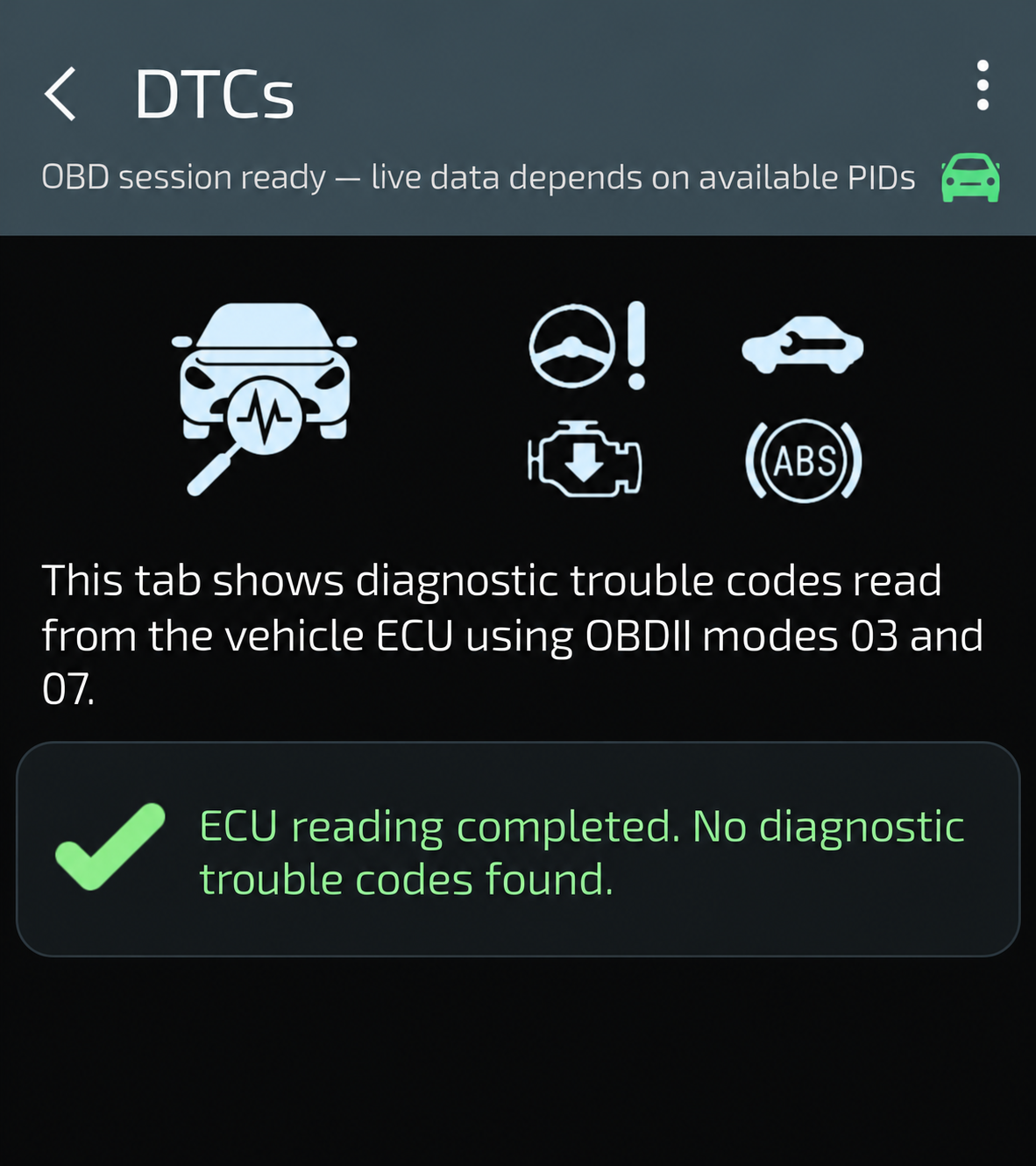
Instructions and screenshotsIllustration · ENReading complete: no codes found
The result concerns codes available in that reading. It does not certify that the vehicle is fault-free and does not show a clearing operation.
Illustration of a reading with no DTCs found, using the current interface style. It is not a new vehicle test.
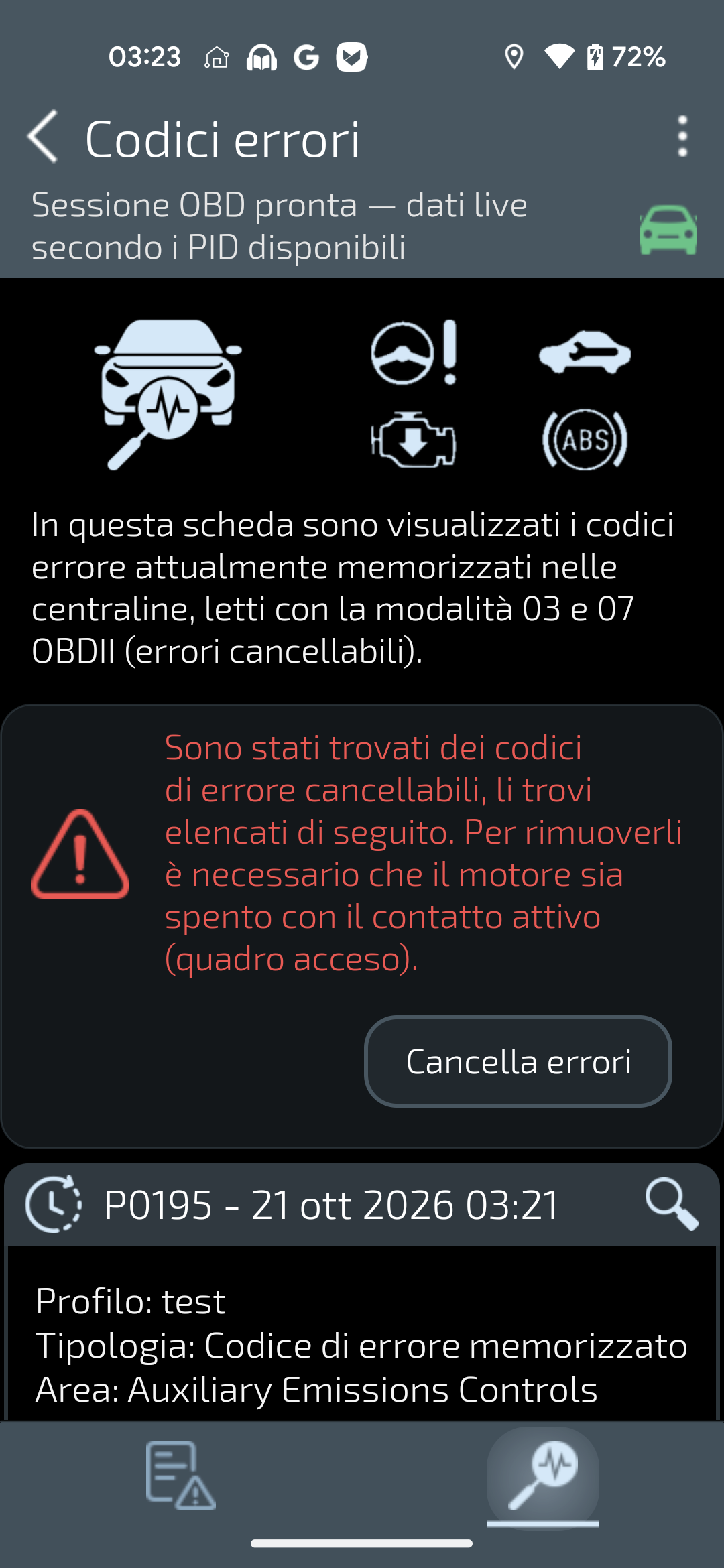
SC OBD2 · ITReal app screen on a bench simulator, with the interface in Italian. The clear command is visible; no clearing operation is shown.
Reading with no codes
Illustration · ENReading complete: no codes found
The result concerns codes available in that reading. It does not certify that the vehicle is fault-free and does not show a clearing operation.
Illustration of a reading with no DTCs found, using the current interface style. It is not a new vehicle test.
The result concerns the codes available in that particular read. It does not replace assessment of symptoms, warning lights or vehicle conditions and is not a safety certification.
Reading with codes
SC OBD2 · ITReal app screen on a bench simulator, with the interface in Italian. The clear command is visible; no clearing operation is shown.
Keep the exact code, available description and circumstances before taking action. A code alone does not establish which component to replace; professional investigation may be needed.
The availability of this information depends on the vehicle and tool; it does not promise new app features.
Clearing is not repairing
Where the vehicle and app version support it, diagnostic codes can be cleared. Consider this after addressing the cause, not as a way to hide a problem. The command does not repair a fault, and a code may return.
Perform diagnostic operations while stationary, following the applicable instructions.
What to observe before drawing conclusions
Keep the exact code and any status shown, the symptoms, and the circumstances in which they appeared. If live readings are available, note their names, values and units. Missing information is not zero and a reading does not by itself confirm a cause.
Smart Control OBD2 reads available codes and parameters through a compatible adapter. It helps you observe and retain context; it does not automatically identify the cause of a fault. Coverage depends on the vehicle, control unit and adapter.